
Everything the console does, your own programs can do too. The console's routes are the API: you reach them with an API key instead of signing in. The reference at app.kaval.ai/api/docs lists every route, what it takes and what it returns. This article explains keys, what they can reach and how the API changes over time.
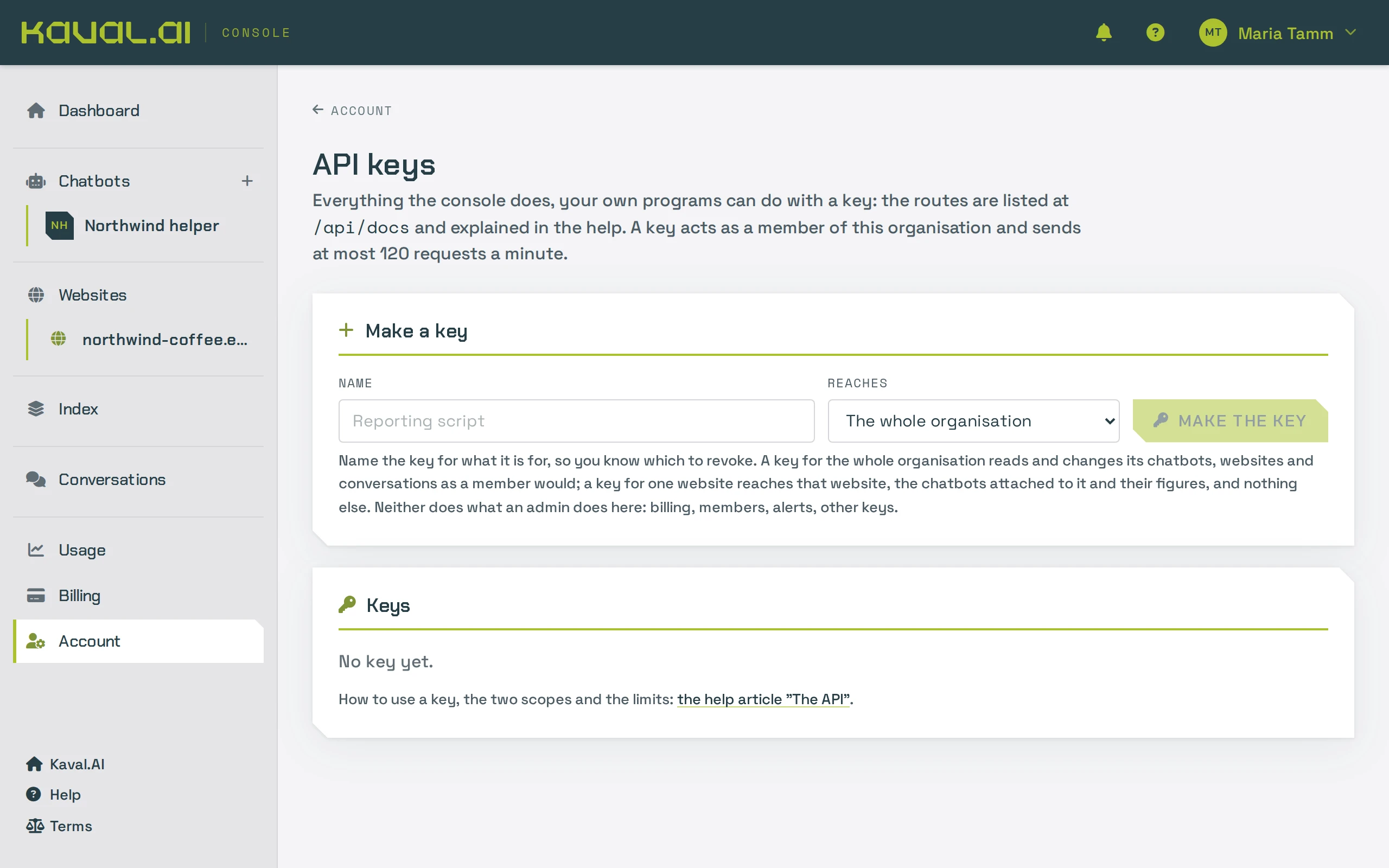
Make a key
- Open API keys in the console. You need to be an admin of the organisation.
- Give the key a name that says where it is used, and choose its scope: the whole account or one website.
- Create the key and copy it straight away. It is shown only once and cannot be shown again.
The page lists every key with its first characters, who made it and when it was last used. Revoking a key stops it working at once.
Use a key
Send the key in the Authorization header of every request:
curl https://app.kaval.ai/api/bots -H "Authorization: Bearer kvl_..."
A key acts as a member of its organisation: it reads and changes chatbots, websites, conversations and figures. It cannot do what only an admin can (billing, the team, alert rules, other keys, closing the organisation). A key never reaches the chat endpoint the widget uses.
The two scopes
- The account: everything a member of the organisation sees.
- One website: that website, the chatbots connected to it and their conversations and figures, and nothing else. Lists return only what the key can reach, and what covers the whole account, such as creating a chatbot or searching the index, is refused. Give a key this scope when it lives on a server you share with others.
Limits
Each key can send up to 120 requests a minute. Beyond that the API answers 429 Too Many Requests with a
Retry-After header saying how long to wait. Everything a key does counts against your plan exactly as it would
in the console.
Push pages as you publish them
If your system knows when a page changes, it can send the page instead of waiting for the next crawl:
PUT /api/sites/{id}/pagestakes up to 50 pages at once, each with its address, title and HTML. It stores them and indexes the ones whose text changed.DELETE /api/sites/{id}/pagestakes the addresses of pages you unpublished.
Only a verified website accepts pushed pages, and every address must be on that website. A changed page counts as a page of the day and a new one towards your plan's indexed pages. Each page gets its own answer, so a batch that goes over a limit says which pages were refused and why. Automatic re-crawls leave pushed pages alone.
How the API changes
A published route keeps its shape: responses gain fields but never lose or rename one. A route that is going away is announced a release ahead. The console itself uses these routes, which is how you can tell the reference is complete.