
Every account starts on the Free plan, with no card needed. When your chatbot needs more conversations, more pages or your own look and instructions, you move to a paid plan in a few clicks. Payments are handled by Stripe, and you can switch or cancel at any time.
Note: Only an admin of the organisation can change its plan, see invoices and manage payment. Members see the Billing pages but cannot change them. See Account and team.
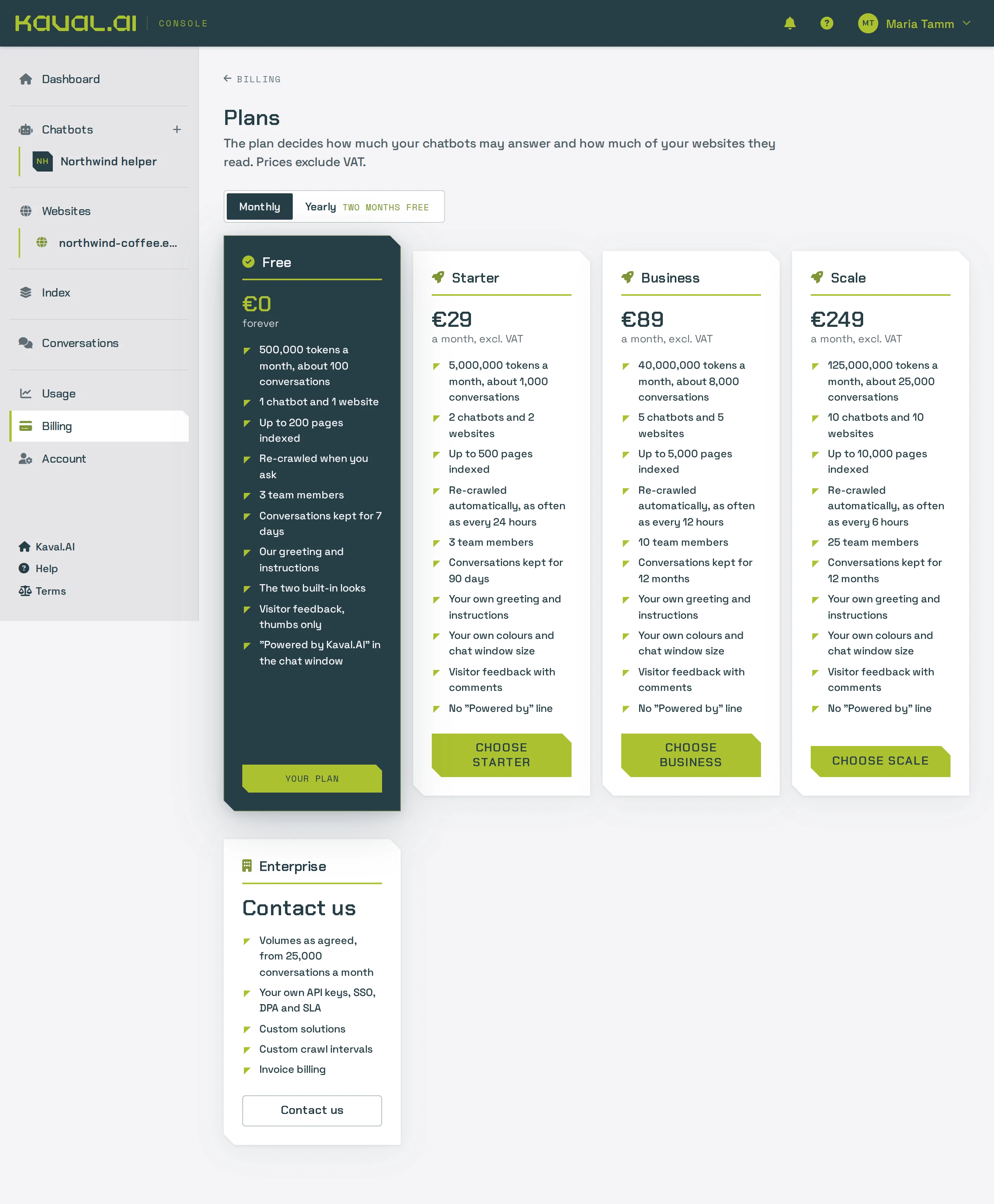
Compare the plans
Prices are in euros and exclude VAT. Paying yearly gives you two months free.
| Free | Starter | Business | Scale | |
|---|---|---|---|---|
| Price per month | €0 | €29 | €89 | €249 |
| Price per year | – | €290 | €890 | €2,490 |
| Conversations a month, about | 100 | 1,000 | 8,000 | 25,000 |
| Chatbots | 1 | 2 | 5 | 10 |
| Websites | 1 | 2 | 5 | 10 |
| Pages indexed | 200 | 500 | 5,000 | 10,000 |
| Automatic re-crawl | – | daily | every 12 hours | every 6 hours |
| Team members | 3 | 3 | 10 | 25 |
| Conversations kept for | 7 days | 90 days | 1 year | 1 year |
| Your own greeting and instructions | – | yes | yes | yes |
| Your own colours, logo, fonts and window size | – | yes | yes | yes |
| Visitor feedback | thumbs | thumbs and comments | thumbs and comments | thumbs and comments |
| "Powered by Kaval.AI" line | always | optional | optional | optional |
Enterprise starts from Scale's limits and adds volumes as agreed, SSO, a data processing agreement, an SLA, custom crawl intervals and invoice billing. It is arranged by talking to us; see Ask about Enterprise.
What "conversations a month" means
Kaval.AI counts usage in tokens, the unit AI models are billed in. A typical visitor conversation uses about 5,000 tokens, so the conversation numbers above are estimates: short questions cost less, long conversations more. Your chatbots can use at most 30% of the month's tokens in a single day, so one busy day cannot use up the whole month. The Usage page shows how much you have used. See Analytics.
Which plan fits? A small business website with up to a few thousand visitors a month usually has 50 to 150 conversations, which Starter covers comfortably. Choose Business for several websites or a busy shop, and Scale for large sites with thousands of pages.
Upgrade from Free to a paid plan
- Sign in to the console and open Billing in the sidebar.
- Click Choose a plan. The Plans page shows the plans side by side.
- Pick Monthly or Yearly at the top. Yearly is ten months' price for twelve.
- Click Choose Starter, Choose Business or Choose Scale under the plan you want. Stripe's secure payment page opens.
- Enter your card and billing details. If you have a promotion code, enter it here (codes work on monthly prices). If the page asks for a VAT number, enter your company's.
- Click Stripe's pay button. Stripe brings you back to Billing, which shows your new plan as soon as Stripe confirms the payment, usually within a few seconds.
The new limits apply at once: you can edit the greeting and instructions, change the look of the widget and add more chatbots and websites straight away. If you leave the payment page without paying, the console says that nothing was charged and your plan stays as it was.
Switch to another plan
Once you have a subscription, all changes go through Stripe's billing portal.
- Open Billing and click Change plan, or go straight to Plans.
- Click Switch plan under the plan you want. Stripe's billing portal opens in the same tab.
- Confirm the new plan. Stripe shows what the rest of the current period costs on the new plan before you confirm.
- Return to the console. The Billing page shows the new plan once Stripe has confirmed it.
Moving to a smaller plan removes nothing. Chatbots, websites and pages above the new plan's limits stay and keep working, but you cannot add more until you are within the limits. Conversations are then kept for the new plan's period.
Update your card or billing details
- Open Billing.
- Click Manage billing. Stripe's billing portal opens.
- Update your payment method or billing details.
- Use the portal's link back to Kaval.AI to return to the console.
If a payment fails, the Billing page shows a warning. Stripe tries the card again over the following days, and your plan keeps working while it does. Update the card in Manage billing to settle it.
Download invoices
Stripe sends an invoice by email with every payment. You can also find them in the console:
- Open Billing.
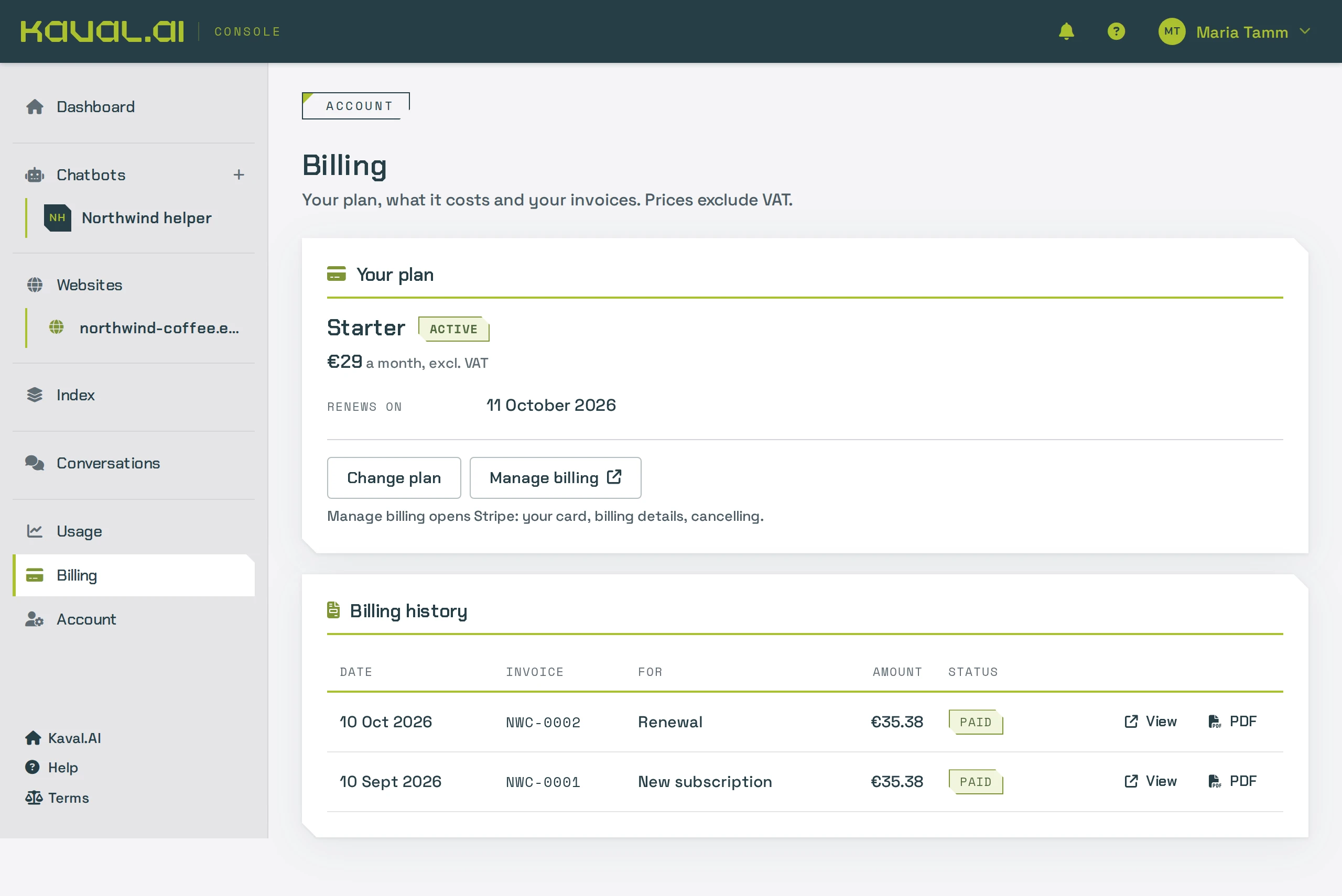
- Scroll to Billing history. It lists the latest invoices with their date, period, amount and status.
- Use the links on a row to open the invoice page or download the PDF.
Older invoices are all in Manage billing.
Cancel your subscription
- Open Billing and click Manage billing.
- In Stripe's billing portal, choose to cancel the plan and confirm.
- Back in the console, the Billing page shows Ends on and the date. Your paid plan keeps working until then.
When the period ends, the account moves to the Free plan. Everything stays, but anything above Free's limits stops accepting additions, the widget shows "Powered by Kaval.AI" again and conversations are kept for 7 days. To change your mind before the end date, renew the plan in Manage billing.
To close your organisation altogether, cancel the subscription first, then see Account and team.
Ask about Enterprise
- Open Plans and click Contact us on the Enterprise card.
- Fill in your name, your business name, an email or a phone number, and a few sentences about your project: roughly how many conversations and websites, and what you need.
- Click Send. We reply within a working day.
You can also write to info@kaval.ai.
Questions
Do I need a card for the Free plan? No. The Free plan needs only an account.
What happens when I reach a limit? When the month's or the day's tokens run out, the chatbot is hidden on your website until the limit resets: at midnight UTC for the day, on the 1st of the month for the month. You get an email at 80% and at 100% of each limit. See Analytics.
Are prices with VAT? No, the prices shown exclude VAT.
Something about a payment looks wrong? Write to info@kaval.ai with the invoice number.